


Happy Art: Color Your Way
4.330.00 Reviews
App Specs
- Version
- 1.0.3
- Updated On
- License
- Free
- Downloads
- 10,000+
- Developer
- OONA
- Categories
- Board
- Platform
- Android
Screenshots

 Analysis by AppCompare
I tend to reach for a coloring game when I want something gentle to do with my hands but don’t feel like starting a demanding game. Happy Art: Color Your Way is aimed at that quiet, low-pressure mood: it is a board-style coloring game from OONA, built around filling illustrations rather than competing or solving a long sequence of puzzles. Its appeal is easy to understand, though whether it suits you depends on how much guidance and variety you want from a digital coloring book.
Where the game stands now
The current release is version 1.0.3, and the game is free to download. It has an average rating of 4.3 from around two hundred ratings, with more than ten thousand installs. That gives a prospective player a useful sense of its early audience, but I would treat those figures as context rather than proof that the game will match your tastes. Its Everyone age rating also makes the basic concept accessible to a broad range of players.
The main draw is the straightforward coloring activity: choose an illustration, pick colors, and work through the page at your own pace. That makes it less like a strategy-heavy board game and more like a pocket activity book. I’d consider it for a short break, a quiet evening, or a moment when I want a little structure without a score or timer pushing me along.
What the release tells us—and what it doesn’t
The game was released on April 29, 2026, and version 1.0.3 is the current point of reference. Those facts establish where the product is in its release history, but they don’t by themselves show what changed between versions. I wouldn’t assume that a particular update introduced new pages, tools, or social options without a confirmed change log. For now, the sensible expectation is a relatively early release whose future development will be easier to judge as more version history becomes visible.
That distinction matters if you already use a coloring app. A new version number can signal ongoing maintenance, but it does not tell me whether a favorite feature has improved or whether the content library has grown. I’d judge the current build on the activity I can actually use, then check the version notes when deciding whether a later update is relevant to my routine.
How it fits into a real day
For a practical example, imagine having ten spare minutes while waiting for a ride or winding down before bed. A coloring page gives that time a small focus: I can choose a few colors, make visible progress, and stop whenever I need to. Unlike a match-based game, there is no opponent to keep waiting and no round to finish before putting the phone away. That makes the format a good fit for fragmented free time, provided the controls feel comfortable on your device.
It may also work well for someone who enjoys coloring but doesn’t want to carry paper, pencils, or a full set of markers. The trade-off is that screen coloring feels different from physical coloring: there is no paper texture, and the display becomes part of the experience. If the tactile feel of pencils is what relaxes you, a printed book will probably be more satisfying. If convenience and easy color changes matter more, a digital page has an advantage.
Worth Reading Before You Choose

Baby Panda World Brings Quick Play to Modern Phones, but Its Game Library Feels Busy

ESPN’s Live Game View Makes Following Close Games Easier

QuizzLand Review: A Good Fit for Short Trivia Breaks, Not Every Player

Basketball Stars: Multiplayer Is Fast, but Can It Recover When Matches Go Wrong?

WEBTOON Turns Phone Updates Into a Better Reading Routine

Link to Windows Runs on Shared Habits, Not Social Feeds
Who should try it, and who may prefer something else
I’d recommend giving it a look if you want a calm, approachable activity and like choosing colors without needing drawing skills. It is also a reasonable option for families looking for a simple creative pastime, with the Everyone rating offering a broad age range; as with any app, an adult can still decide whether its features and spending options suit a child. The game is free, while in-app purchases are listed at $8.49 per item, so I’d check the purchase prompt carefully before confirming anything.
On the other hand, this is not the right choice if you want to sketch from a blank canvas, build complex compositions, or learn formal drawing techniques. A full digital art app gives more control over brushes, layers, and original artwork, but usually asks more of the user. A conventional coloring app may be a closer alternative if your priority is a familiar page-by-page routine. Happy Art’s value will come down to whether its own selection and coloring flow feel enjoyable to you, rather than whether it can replace every kind of art tool.
Small habits that can make coloring easier
When a page has a lot of small areas, I find it helps to decide on a limited color scheme before getting absorbed in individual details. Picking a few related colors first can make the finished image feel more intentional and reduces the stop-start rhythm of constantly reconsidering each choice. If the screen feels cramped, using the zoom control for a small section and then returning to the wider view is a practical way to keep the task manageable. Undo is useful not only for correcting a slip, but also for testing a color without feeling locked into it.
I’d also treat saving as part of the session rather than an afterthought. If you pause halfway through, preserving the work gives you a clear point to return to; if you finish something you like, saving makes it easier to keep a record. Sharing can be a pleasant extra, but I wouldn’t make social interaction the reason to install the game unless those options are useful to you personally. The best use case is still the coloring itself.
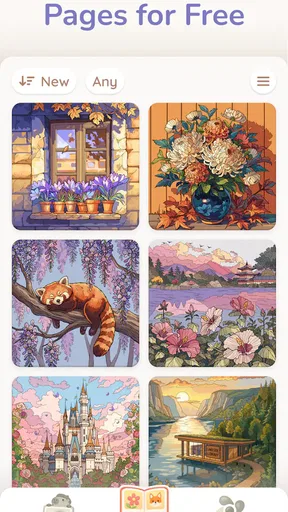
One thing I would keep in mind is that digital coloring can become repetitive if the available pages don’t match your interests. A large-sounding selection is not automatically a good selection for every player, and a familiar activity needs enough variety to hold attention over time. Before making a purchase or committing to a long coloring session, I’d browse the available pages and see whether their subjects appeal to me. That quick check is more useful than assuming every coloring game will have the themes I want.
A Splash of Color in Your Pocket
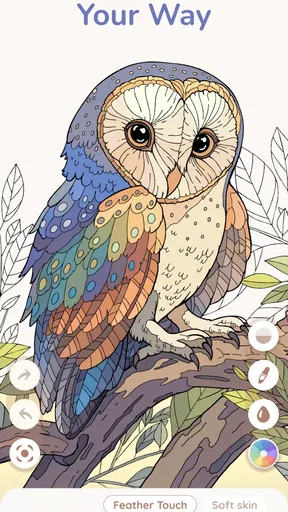
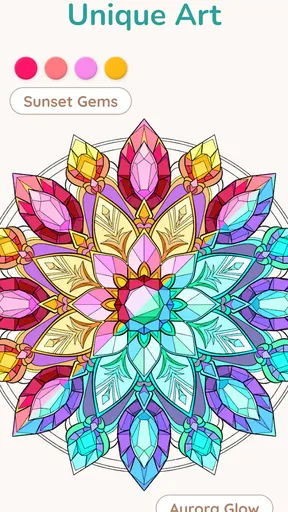
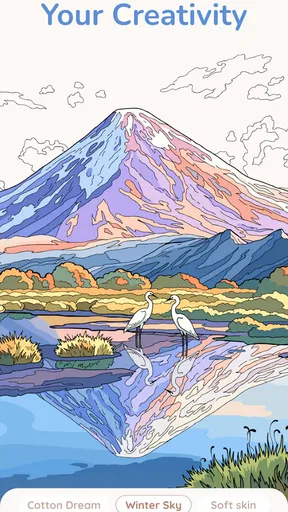
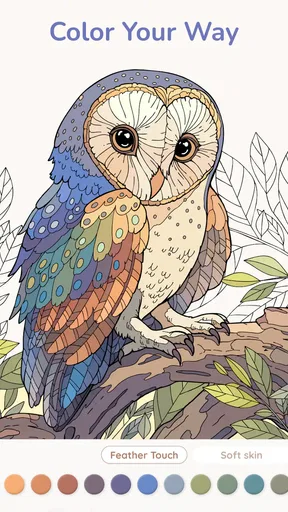
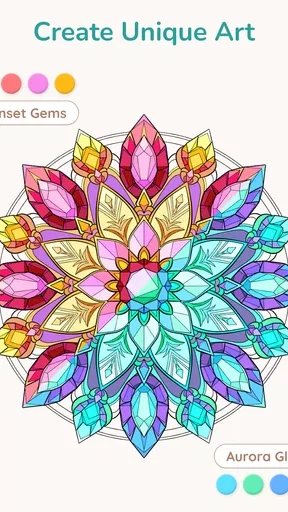
When you first open Happy Art: Color Your Way, you’re greeted with a palette of endless possibilities. The app offers a wide variety of illustrations that you can choose to color, ranging from intricate mandalas to charming landscapes and adorable animals. It’s like having a portable coloring book at your fingertips, but with so much more flexibility.
What really caught my attention was the sheer variety. Whether you’re a fan of abstract art or more classic designs, there’s something here for everyone. And the best part? You don’t have to worry about running out of pages or colors, because the digital format allows for endless creativity. And hey, no more colored pencils rolling off the table!
Easy to Use, Hard to Put Down
The interface of the app is incredibly user-friendly. Even if you’re not tech-savvy, you’ll find it easy to navigate through the different categories and select your preferred illustrations. The colors are vibrant and the tools are intuitive. You can zoom in and out, which is super helpful when dealing with those tiny details. Plus, there’s an undo button that becomes your best friend when your finger slips.
One of my favorite features is the ability to save your artwork. Not only does this let you track your progress, but it also allows you to share your creations with friends. It’s a great way to show off your artistic side or even just to document your journey through the app.
A Therapeutic Experience
If you’re looking for a way to unwind after a long day, this app provides a therapeutic experience that can help you relax and de-stress. There’s something incredibly satisfying about choosing colors and watching a blank canvas come to life. It’s like meditation but with a colorful twist.
The app also allows you to listen to calming music while you color, which I found to be a nice touch. It really sets the mood and enhances the overall experience. It’s like having your own little zen corner, wherever you are.
More than Just a Coloring Book
Beyond just coloring, Happy Art: Color Your Way offers a community aspect. You can connect with other users, share your artwork, and even participate in challenges. It’s a wonderful way to meet others who share the same interest and maybe even pick up some tips and tricks along the way.
I also appreciated the regular updates. The developers seem committed to keeping the content fresh, which means new illustrations and features are added frequently. This keeps the app exciting and ensures that you always have something new to look forward to.
Final Thoughts
All in all, Happy Art: Color Your Way is a delightful app that brings joy, relaxation, and a splash of creativity into your life. Whether you’re an art enthusiast or just someone looking for a fun way to pass the time, this app has something to offer. It’s a simple yet effective way to unwind and let your creativity blossom.
So, if you’re ready to dive into a world of colors and creativity, give this app a try. Trust me, your mind and soul will thank you for it!
Pros
- User-friendly interface for easy navigation.
- Wide variety of coloring pages available.
- Regular updates with new content.
- Offline mode available for coloring anytime.
- Supports multiple coloring tools and effects.
Cons
- In-app purchases can be pricey.
- Ads may interrupt coloring sessions.
- Limited free content without subscription.
- Requires internet for certain features.
- Occasional glitches with saving progress.
FAQs for Happy Art: Color Your Way
What is Happy Art: Color Your Way?
Happy Art: Color Your Way is a creative application designed to offer users a relaxing and enjoyable coloring experience. It provides a wide range of intricate designs and patterns that users can color using a variety of digital brushes and palettes. The app is suitable for all ages, making it a great tool for stress relief and creative expression.
Is Happy Art: Color Your Way free to download?
Yes, Happy Art: Color Your Way is free to download on both Android and iOS platforms. However, while the app offers a selection of free designs and tools, there are in-app purchases available for users who wish to access premium content, additional patterns, and advanced features.
Does Happy Art: Color Your Way require an internet connection?
No, Happy Art: Color Your Way does not require a constant internet connection. Once downloaded, users can access the majority of the features and coloring pages offline. However, an internet connection may be needed for downloading new content or for in-app purchases.
What makes Happy Art: Color Your Way different from other coloring apps?
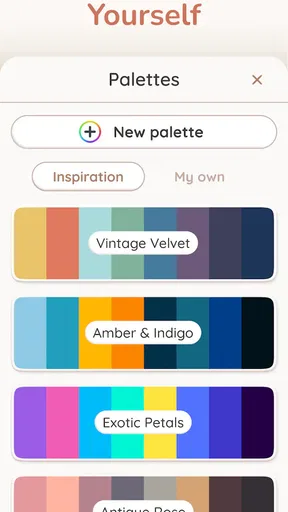
Happy Art: Color Your Way stands out due to its extensive collection of unique designs and the ability for users to create personalized color palettes. Additionally, the app offers a seamless, user-friendly interface and regularly updates its library with fresh content, ensuring users always have new and exciting patterns to explore.
Are there any age restrictions for using Happy Art: Color Your Way?
Happy Art: Color Your Way is suitable for all ages, making it an excellent choice for both children and adults. The app's intuitive design ensures that it is easy to navigate, while the variety of designs caters to different skill levels and artistic preferences, making it a versatile tool for creative expression.


